smart_toy AI assistantAI-помічникAsistente AIAssistente AI
Understands the project, explains commits, suggests changes, helps diagnose errors, and prepares edits.Розбирається в проєкті, пояснює коміти, пропонує зміни, допомагає знайти причину помилки та готує правки.Entiende el proyecto, explica commits, sugiere cambios, ayuda a diagnosticar errores y prepara ediciones.Capisce il progetto, spiega commit, suggerisce modifiche, aiuta a diagnosticare errori e prepara interventi.
account_tree Repository workflowРобота з репозиторіямиTrabajo con repositoriosWorkflow sui repository
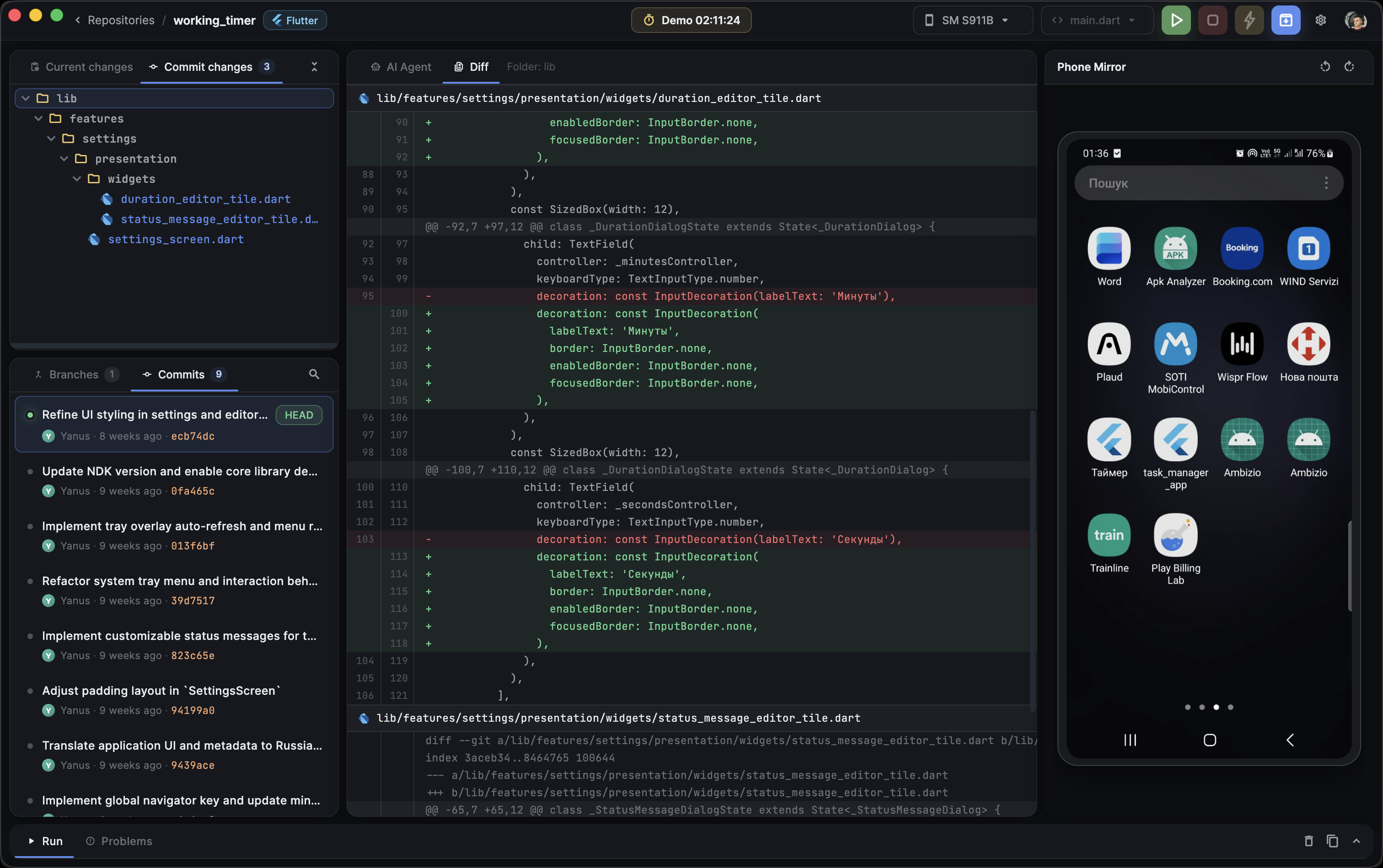
Open projects, view branches, switch versions, inspect commit history, and see repository status.Відкриття проєктів, перегляд гілок, перемикання версій, історія комітів і стан репозиторію.Abre proyectos, ve ramas, cambia versiones, revisa historial de commits y estado del repositorio.Apri progetti, vedi branch, cambia versione, ispeziona cronologia commit e stato del repository.
difference Change reviewПерегляд змінRevisión de cambiosRevisione modifiche
See before and after, changed files, AI proposals, and the difference between the current and new version.Було і стало, змінені файли, пропозиції AI та різниця між поточною і новою версією.Ve antes y después, archivos modificados, propuestas de AI y la diferencia entre la versión actual y la nueva.Vedi prima e dopo, file modificati, proposte AI e differenza tra versione corrente e nuova.
verified_user Environment checksПеревірка середовищаRevisión del entornoControlli dell’ambiente
The app shows which technologies are found, what is missing, and why the project may fail to launch.Програма показує, які технології знайдено, чого бракує і чому проєкт може не запускатися.La app muestra qué tecnologías encontró, qué falta y por qué el proyecto puede no arrancar.L’app mostra quali tecnologie sono state trovate, cosa manca e perché il progetto potrebbe non avviarsi.
phone_android Smartphone launchЗапуск на смартфоніEjecución en smartphoneAvvio su smartphone
Check device connection status, start the app, and verify the result on a real Android device.Статус підключення, запуск застосунку та перевірка результату на реальному Android-пристрої.Comprueba el estado de conexión, inicia la app y verifica el resultado en un dispositivo Android real.Controlla lo stato di connessione, avvia l’app e verifica il risultato su un vero dispositivo Android.
speed Lightweight by designЛегкість замість перевантаженняLigereza por diseñoLeggerezza progettata
A focused tool for managers, QA, and product owners who do not need a full development environment.Фокусований інструмент для менеджерів, QA і власників продукту, яким не потрібне повне середовище розробки.Una herramienta enfocada para managers, QA y dueños de producto que no necesitan un entorno de desarrollo completo.Uno strumento focalizzato per manager, QA e product owner che non hanno bisogno di un ambiente di sviluppo completo.